Photo of your aircraft vs photo of your flight
A photo of your aircraft shows the same airframe on any day. A photo of your flight shows it at your departure or arrival airport, on the day you flew. On Flown and Found, 99% of the aircraft in pilots' logbooks have been photographed at some point, but only 2% of their flights have a photo from the day itself.
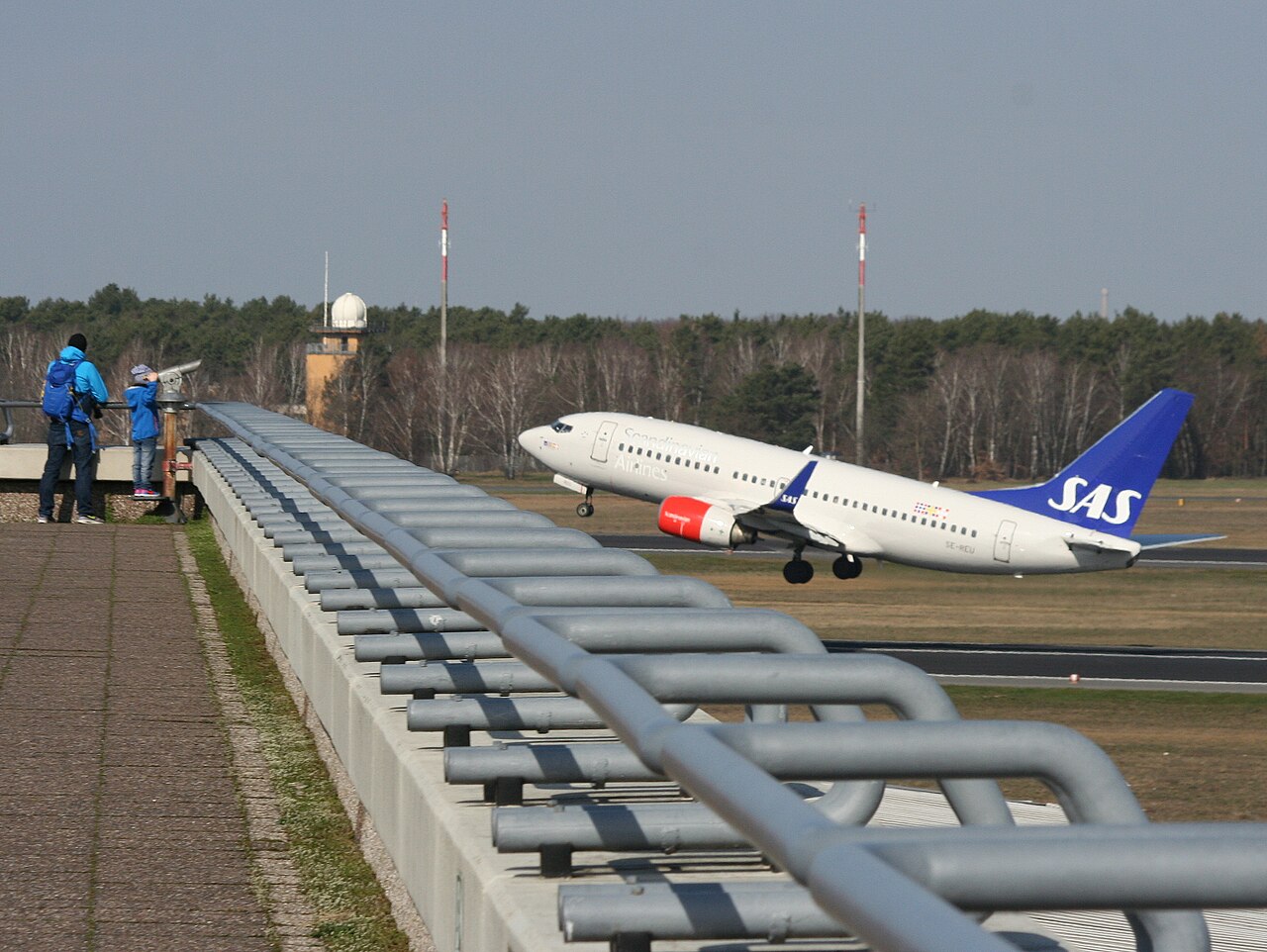 © Oyoyoy · CC BY-SA 4.0 · Wikimedia Commons
Photo of your aircraft
Every aircraft carries a registration, and photo sites file their photos under it. Search a registration and you see that airframe whenever and wherever it was photographed, often over many years and in more than one airline’s colours.
On Flown and Found, My Aircraft shows a photo of each aircraft in your logbook, wherever one has been found. That is a photo of your aircraft, from any day.
Photo of your flight
For a photo to count as your flight, three things have to line up:
- The same registration as the one in your logbook.
- Your airport. The photo has to be taken at your departure or arrival airport for that flight. The same aircraft photographed at a different airport that day was on someone else’s flight.
- Your day, in local time. We work out the date at the airport itself, in its own time zone. Logbooks usually record UTC, and the two can differ: a departure from Gatwick at 00:30 on a summer night is logged on the day before.
Take the photo at the top of this page. It shows SE-REU taking off from Berlin Tegel on 20 March 2019. For a pilot who flew SE-REU out of Tegel that day, it may be a photo of their flight. For everyone else who has flown SE-REU, it is a photo of their aircraft.
Why photos of your flight are rare
In October 2026 the logbooks on Flown and Found held 7,651 flights in 728 aircraft. 718 of those aircraft had at least one photo. 154 of the flights had a photo from the day.
- An airliner can fly several flights a day, every day. Spotters catch only some of them.
- The photo has to be taken at your airport, not one of the other airports the aircraft visited.
- Small airfields have few photographers, and night flights are rarely photographed at all.
- Photos keep arriving for months. Of the same-day JetPhotos photos we have matched to flights, 58% were online four weeks after the flight, 84% after ten weeks, 92% after six months and 98% after two years.
That last point is why we keep looking: 4, 10, 17 and 26 weeks after each flight, then at 9 months, a year and two years.
How sure is a match?
Each photo of a flight carries a colour:
- Green, “That’s you.” Flight tracking data says your aircraft was only there once that day, and that was your flight.
- Amber, “Almost certainly you.” Right aircraft, right airport, right day. We just can’t prove it was your visit.
- Red, “Worth a second look.” It all lines up on paper, but the timing makes us doubt it was your flight.
How to find photos of aircraft you’ve flown shows how to check one yourself.
Questions
Why is a photo from my day marked amber?
Amber means the right aircraft, at the right airport, on the right day, but we can't prove it was your visit. Aircraft often call at the same airport more than once a day, and without proof of which visit the photo shows, we say so.
Can a green match still be wrong?
Rarely, yes. Green relies on flight tracking data listing every visit the aircraft made that day, and that data sometimes misses flights. If a photo is clearly not your flight, report it from the link under your flight list.
Can you find photos of flights from years ago?
Yes. We search for every date in your logbook, however old. Whether a photo exists depends on whether somebody took one and posted it.
Why does a flight show no photo when my aircraft has plenty?
Because none of those photos was taken at your airport on the day you flew. The photos of your aircraft are still there to see on its own page.
Written . All guides